Camera Controls
Camera Controls
introduction
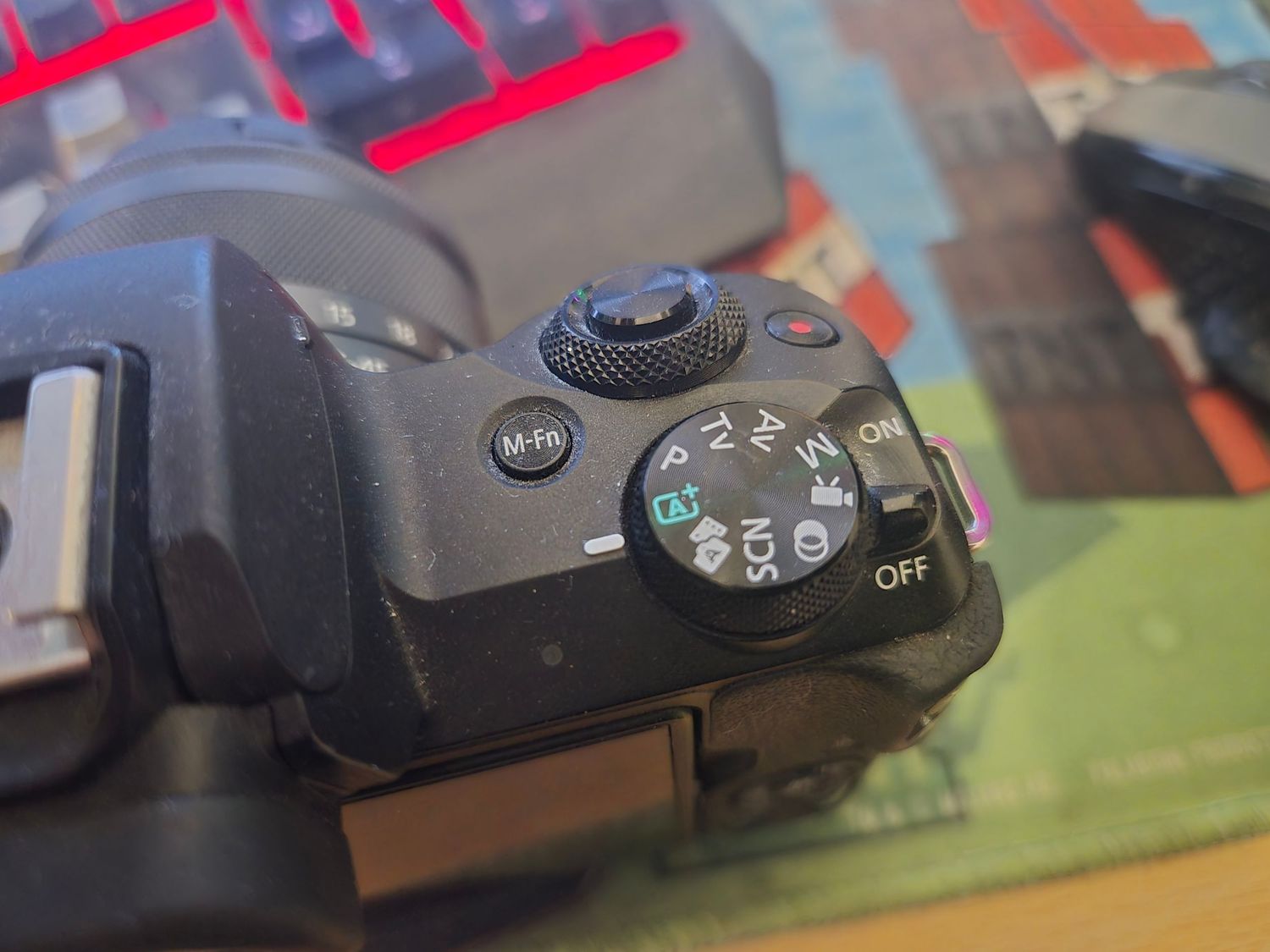
Modern digital cameras offer an impressive array of buttons, dials, and menu options—features that, while powerful, can often overwhelm those who are just beginning their photography journey. The abundance of controls may seem daunting at first, especially for users unfamiliar with the terminology or functions.
While using your camera in Auto mode can produce decent results and allow you to start shooting immediately, relying solely on automatic settings limits your creative control. Taking the time to understand the camera’s key functions not only builds confidence but also lays the foundation for significantly improving your photography skills.
Manufacturers have made considerable strides in making their cameras more user-friendly. Many newer models now include built-in guides and intuitive menus designed to help beginners navigate different modes and settings. However, some core concepts—such as exposure, aperture, shutter speed, and ISO—can still present a learning curve.
This section is designed to demystify those essential features. We’ll walk you through the most important functions of your digital camera, explaining what they do and, more importantly, how to use them effectively. By learning how to harness these tools, you’ll be able to move beyond simple snapshots and begin creating images with purpose, style, and creative intent.
Camera Controls
Camera Controls
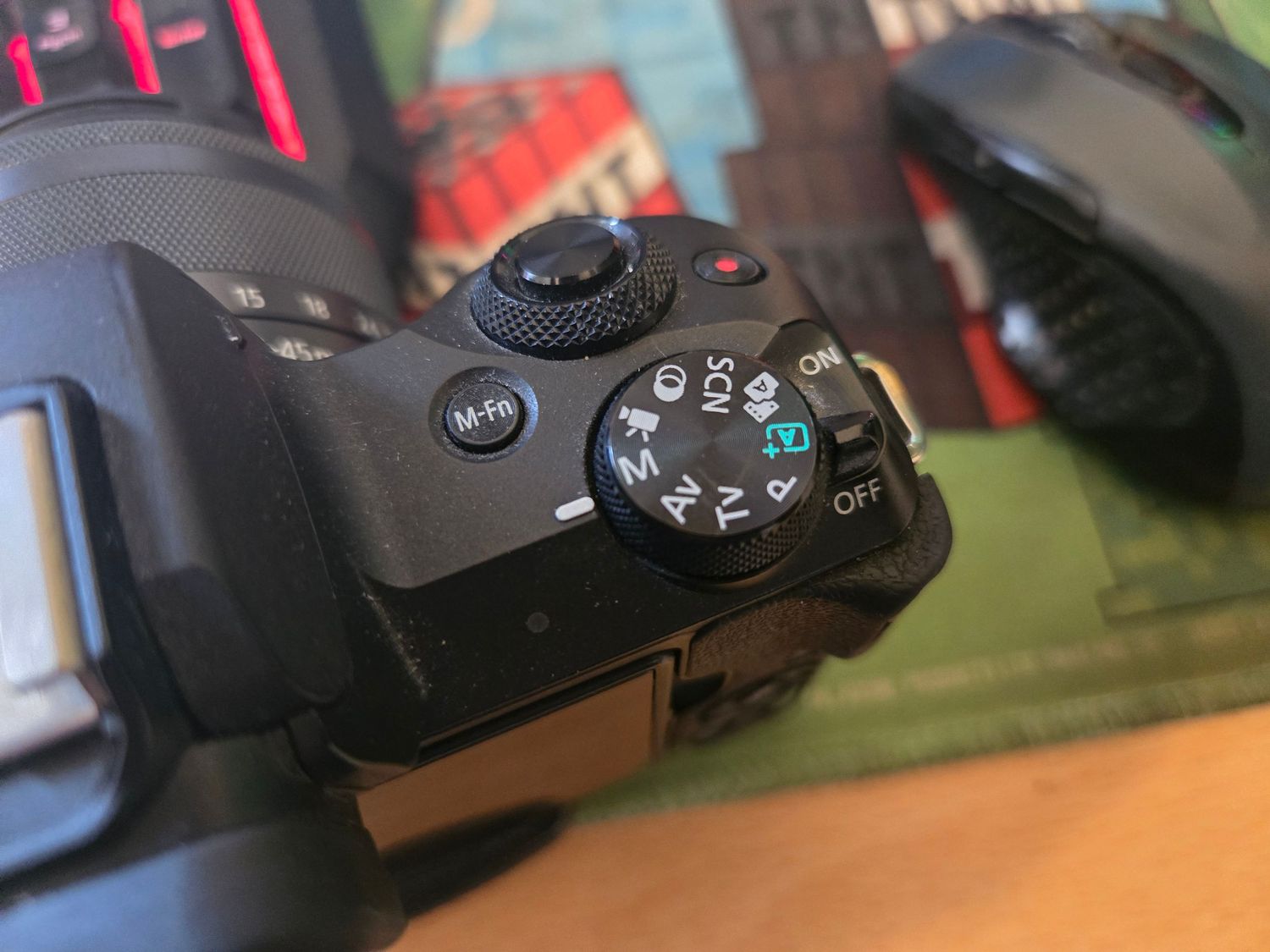
Scene Modes
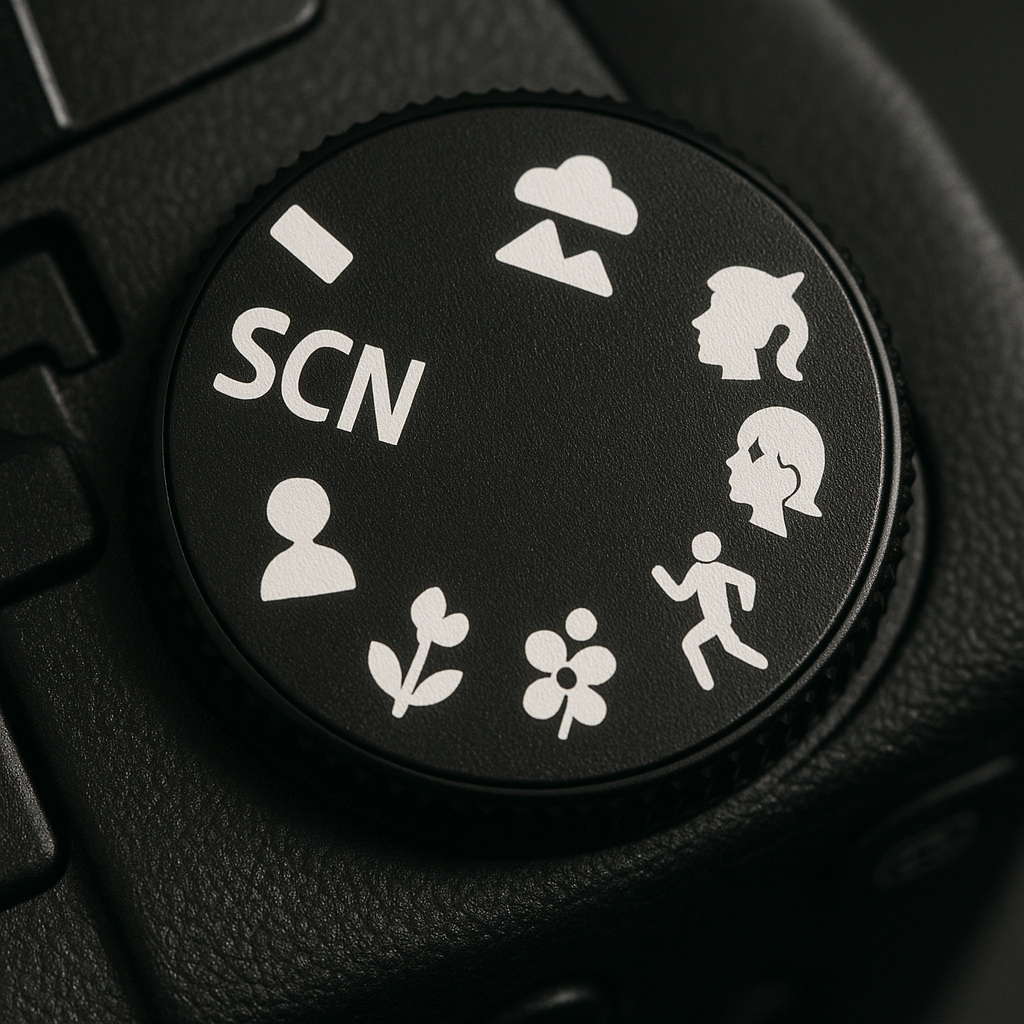
Most digital cameras include a variety of scene modes, each designed to optimize image capture for specific subjects such as portraits, landscapes, or fast-moving action.
Each scene mode applies a preconfigured set of exposure settings tailored to achieve the best possible results for the selected subject type.
When a scene mode is selected, the camera automatically adjusts key parameters such as shutter speed and aperture to create the desired visual effect. Additionally, it may also fine-tune the ISO sensitivity, white balance, and metering mode to ensure optimal image quality under the given conditions.
Camera Controls
Camera Controls
Portrait Mode
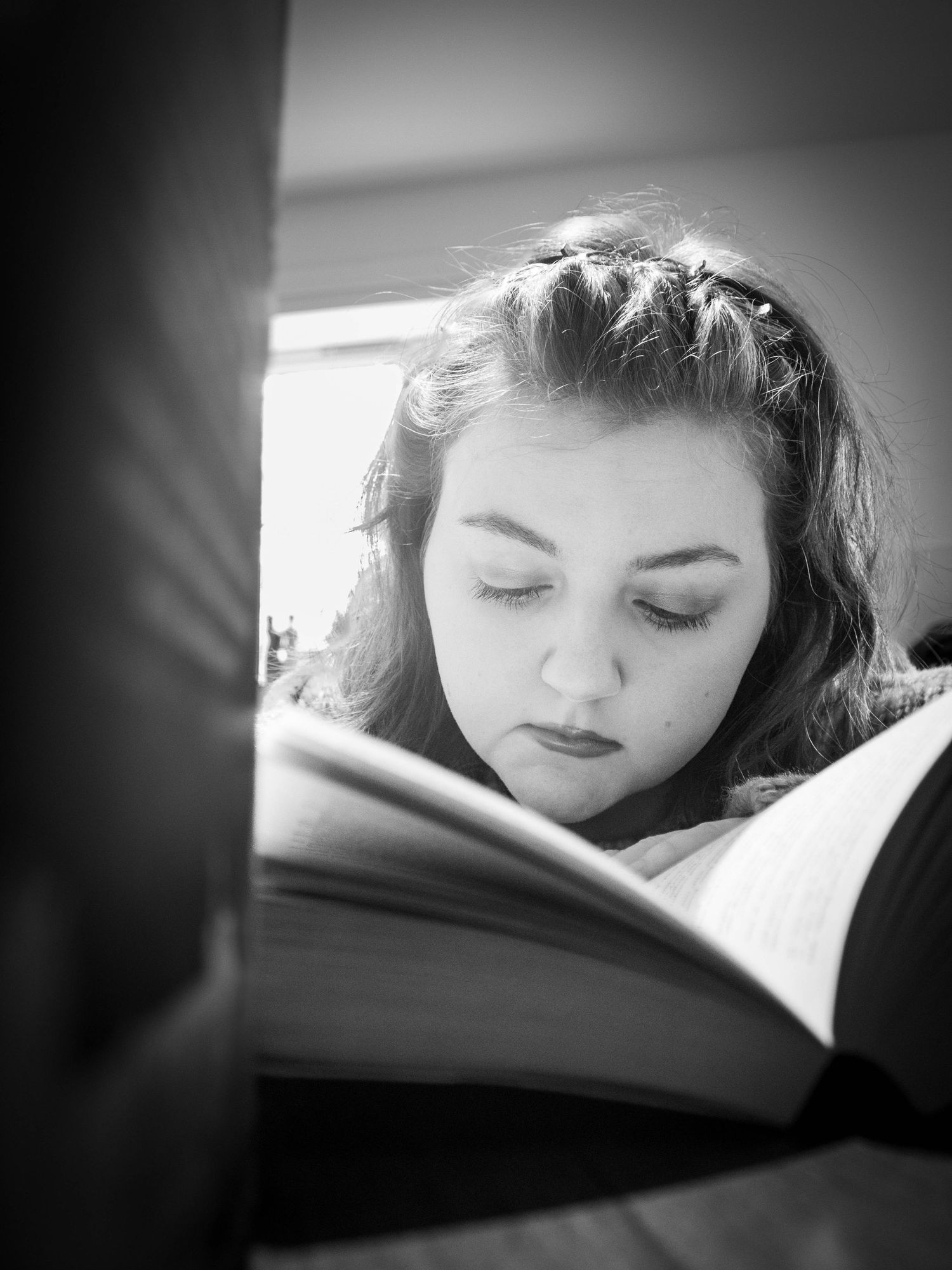
Portrait mode is ideal for photographing people, especially if you're new to photography and just starting to explore your camera's features.
When using this mode, the camera automatically selects a large aperture (small f-number), which helps blur the background. This effect, known as shallow depth of field, draws attention to the subject and creates an aesthetically pleasing result, often referred to as bokeh.
While Portrait mode can be helpful for beginners, it offers only limited control over the image-making process. Our goal with the learning centre is to guide you beyond automatic settings and help you develop confidence using your camera’s manual modes, where you can make creative decisions independently rather than relying on pre-set scene modes.

Camera Controls
Camera Controls
Action Mode
Photographing moving subjects—such as children playing in the garden or athletes in action—can be challenging, especially for beginners.
Using the Action scene mode helps the camera respond quickly by automatically selecting a fast shutter speed (e.g., 1/2,000 second), which effectively freezes motion and results in a sharp, clear image. This can be particularly useful when you're still learning how to manage settings manually.
Some cameras also offer a Motion Blur scene mode. In this case, the camera deliberately uses a slower shutter speed to artistically capture the sense of movement, such as the blur of a passing cyclist or dancer in motion.
As with other scene modes, Action mode provides only basic control. It is designed for those new to photography.
.
Camera Controls
Camera Controls
Othere Scene Modes
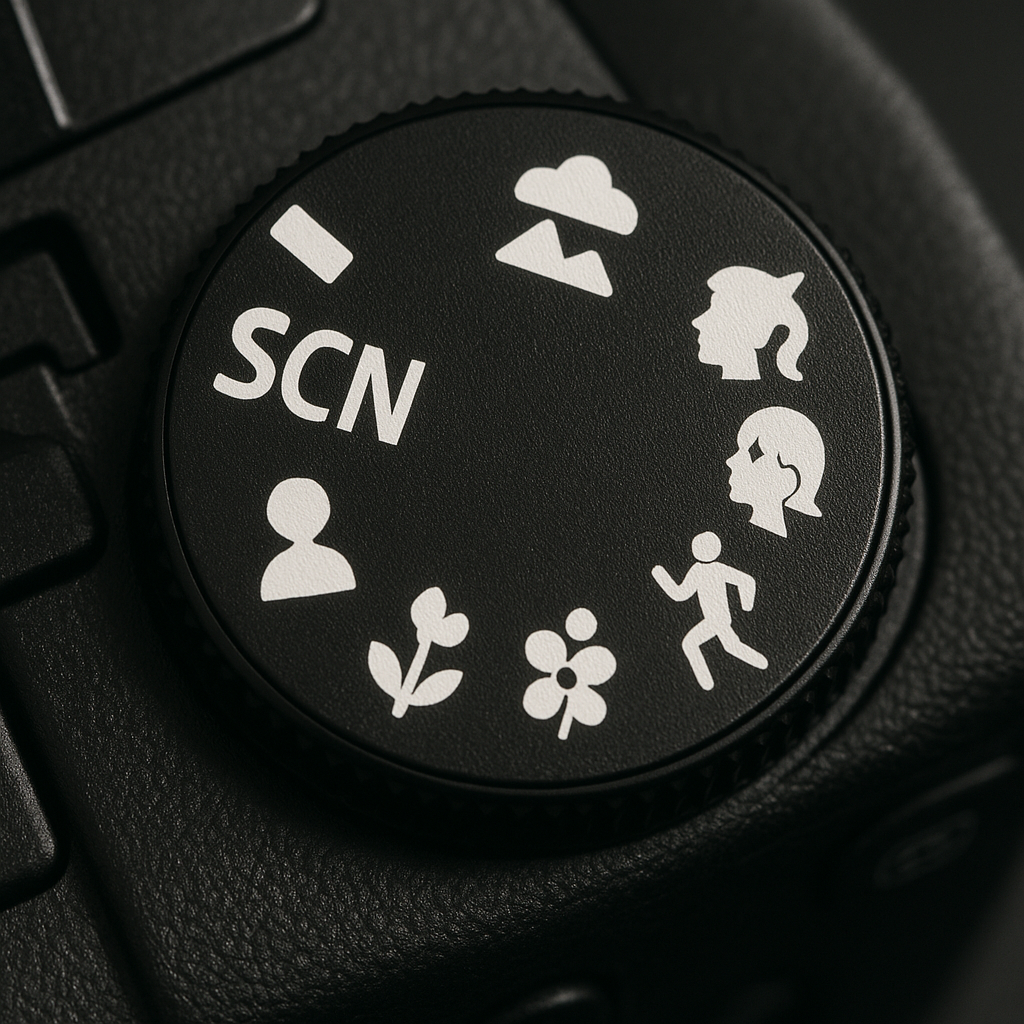
Most digital cameras offer a range of scene modes, such as Macro and Landscape, which can be helpful for those who are just starting out in photography.
While these modes are designed to simplify the process by automatically adjusting settings like exposure, white balance, and focus, it's important to understand their limitations. Scene modes make all the decisions for you, and as a result, the camera may not always interpret the scene accurately—particularly in complex or unusual lighting conditions.
As you develop your skills, learning how to take control of your camera’s manual settings will give you far greater creative freedom and consistency in your results.
Camera Controls
Camera Controls
Manual Mode
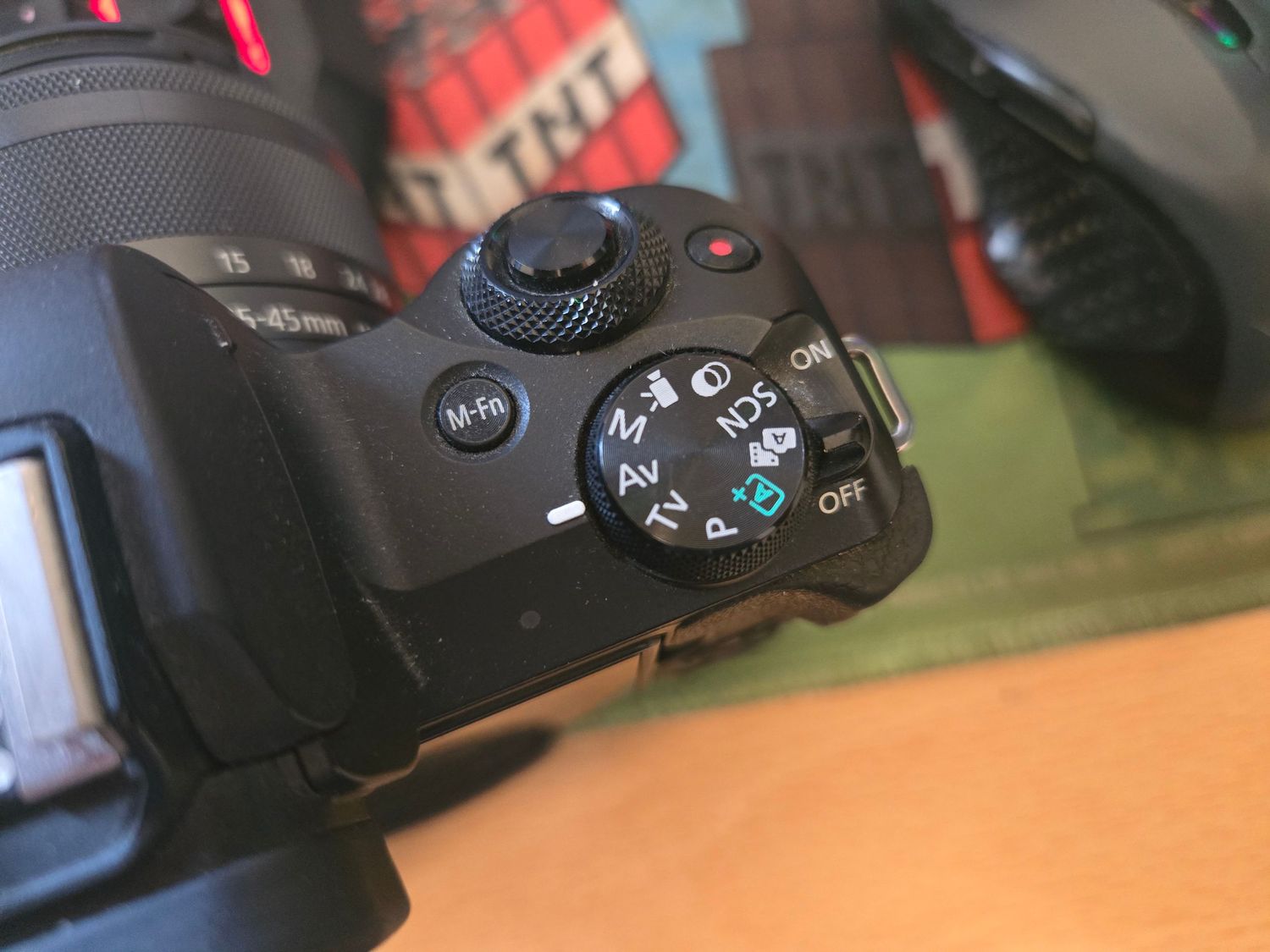
Understanding Manual Mode in Photography
Manual mode gives you full control over your camera’s exposure settings, allowing you to make creative decisions rather than relying on automatic adjustments. In this mode, the photographer sets both the shutter speed and aperture to achieve the desired visual effect.
As you adjust these settings, the camera’s exposure value indicator—typically visible in the viewfinder or on the screen—will inform you whether your current settings are likely to overexpose or underexpose the image. Your goal is to adjust the shutter speed and aperture until the indicator aligns at the center, signifying a balanced exposure.
Shooting in manual mode provides a deeper understanding of how exposure works. It helps you see how the interplay between shutter speed and aperture influences the final composition. Many modern DSLRs and mirrorless cameras also offer a live view function, allowing you to preview the exposure in real time before capturing the image.
While shutter speed and aperture are the primary components of exposure, other factors also play a role. These include ISO sensitivity, metering mode, and white balance—all of which can be manually adjusted for finer control.
For beginners, a helpful starting point is to use multi-zone (evaluative) metering, with ISO and white balance set to Auto. This allows you to focus on mastering the relationship between shutter speed and aperture before incorporating additional settings into your workflow.
Camera Controls
Camera Controls
Aperture Priority
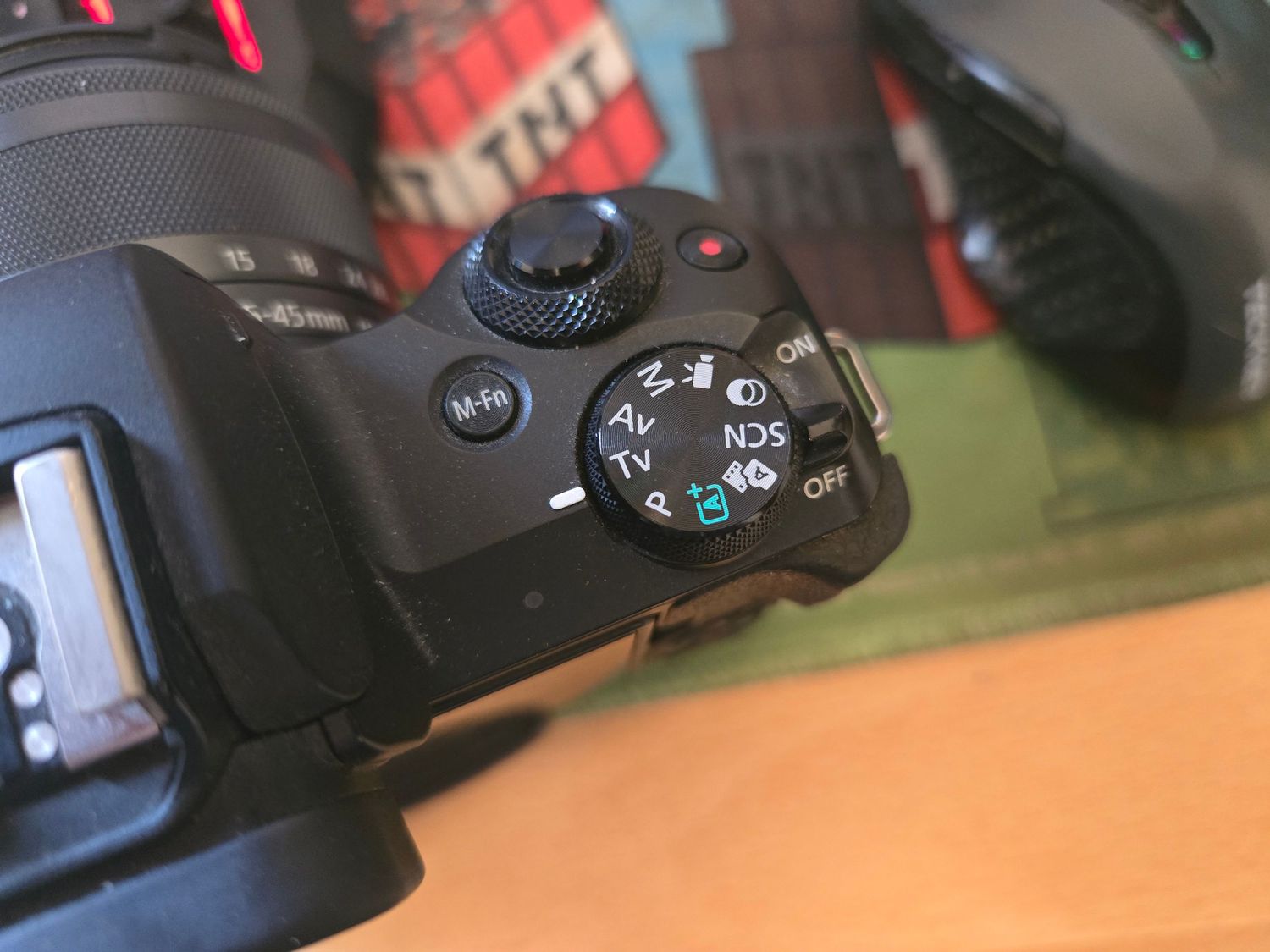
Using Aperture Priority Mode to Control Depth of Field
Aperture Priority mode enables you to take creative control over depth of field in your images while the camera automatically adjusts the shutter speed to maintain correct exposure.
By manually selecting a small aperture (e.g., f/11 or higher), you can achieve a greater depth of field—ideal for landscape photography where you want both the foreground and background to appear sharp. Conversely, choosing a large aperture (e.g., f/2.8) creates a shallow depth of field, making it perfect for portraits or subjects where you want the background to be softly blurred, helping your subject stand out.
.
Camera Controls
Camera Controls
Shutter Priority
Exploring Shutter Priority Mode
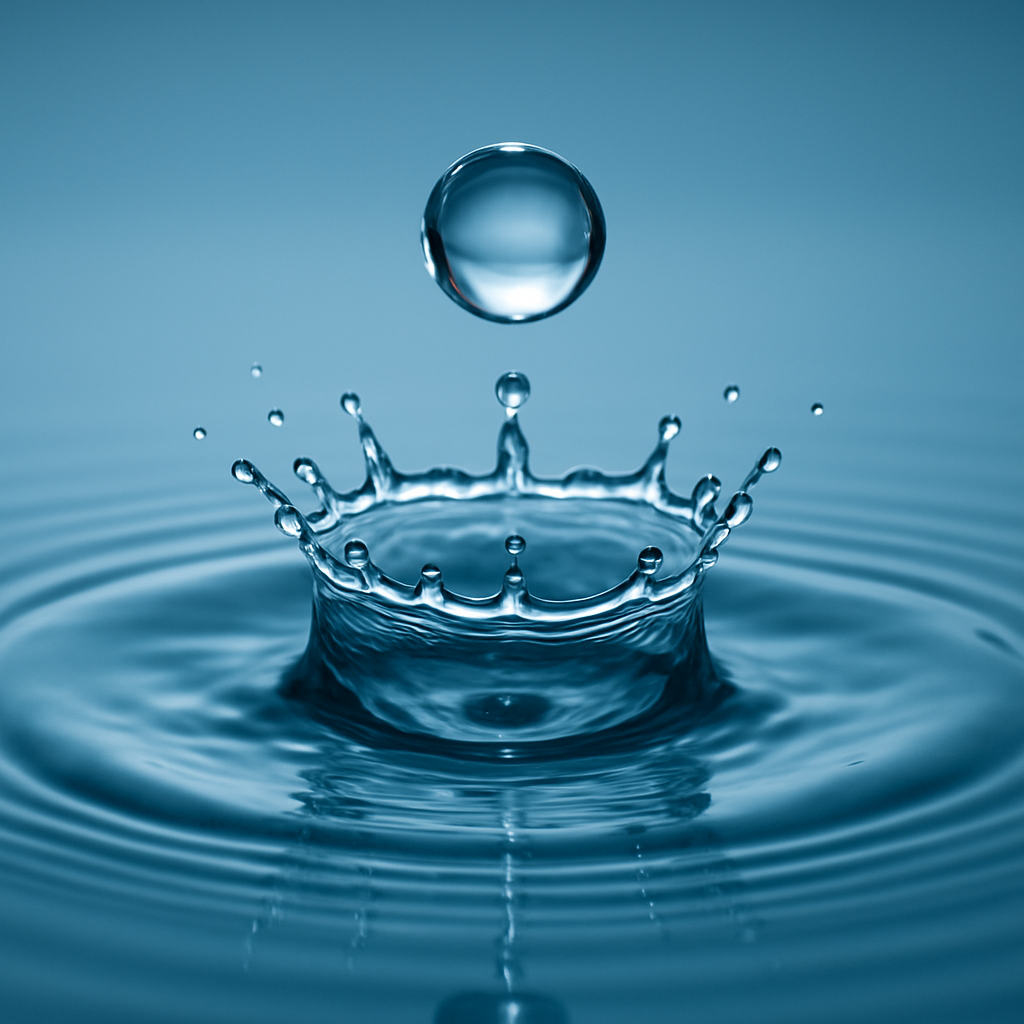
In Shutter Priority mode, the photographer selects the desired shutter speed, while the camera automatically adjusts the aperture to achieve a correct exposure based on the lighting conditions.
This mode is particularly useful when you want to control how motion is captured in your images. A fast shutter speed—such as 1/1000 of a second—can freeze fast-moving subjects, like a racing car, in sharp detail. On the other hand, a slower shutter speed can introduce motion blur, conveying a sense of movement and energy.
Throughout the learning centre, we'll explore creative ways to use shutter speed to enhance your storytelling through photography.
Camera Controls
Using shutter speed
Freezing motion
Selecting a fast shutter speed—such as 1/2000 of a second—can effectively freeze a moving subject, capturing it in sharp detail as if suspended in time.
To achieve this, set your camera to Shutter Priority mode and choose a high shutter speed. This technique is ideal for photographing fast-paced subjects like sports, wildlife, or vehicles in motion.
However, it’s important to note that while this method ensures a crisp, in-focus image, it doesn’t convey a sense of movement. Instead, it isolates the action, giving the impression that time has been paused. Within the learning centre, we’ll explore ways to use slower shutter speeds to creatively introduce motion blur and add dynamic energy to your images.
Camera Controls
Using shutter speed
Motion Blur
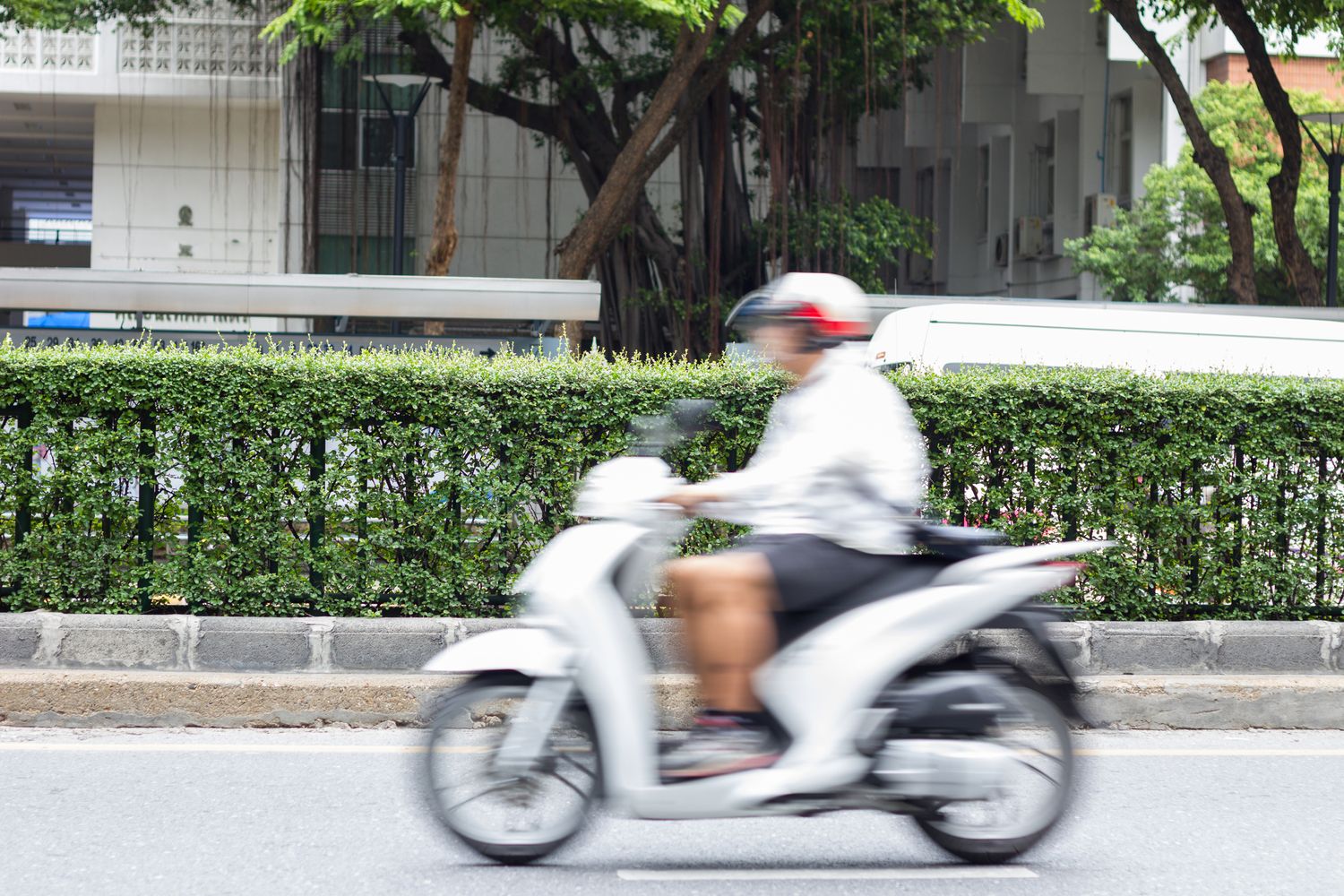
When you intentionally select a slower shutter speed—such as 1/80 of a second—while photographing a moving subject like a car or motorbike, the result is motion blur. This technique visually conveys movement, adding a dynamic sense of speed to your image.
Typically, the moving subject will appear blurred in the direction of motion, while stationary elements in the background remain sharp. This contrast helps emphasize the motion and can be used creatively to enhance the storytelling aspect of your photographs.
Camera Controls
Using shutter speed
Panning Motion
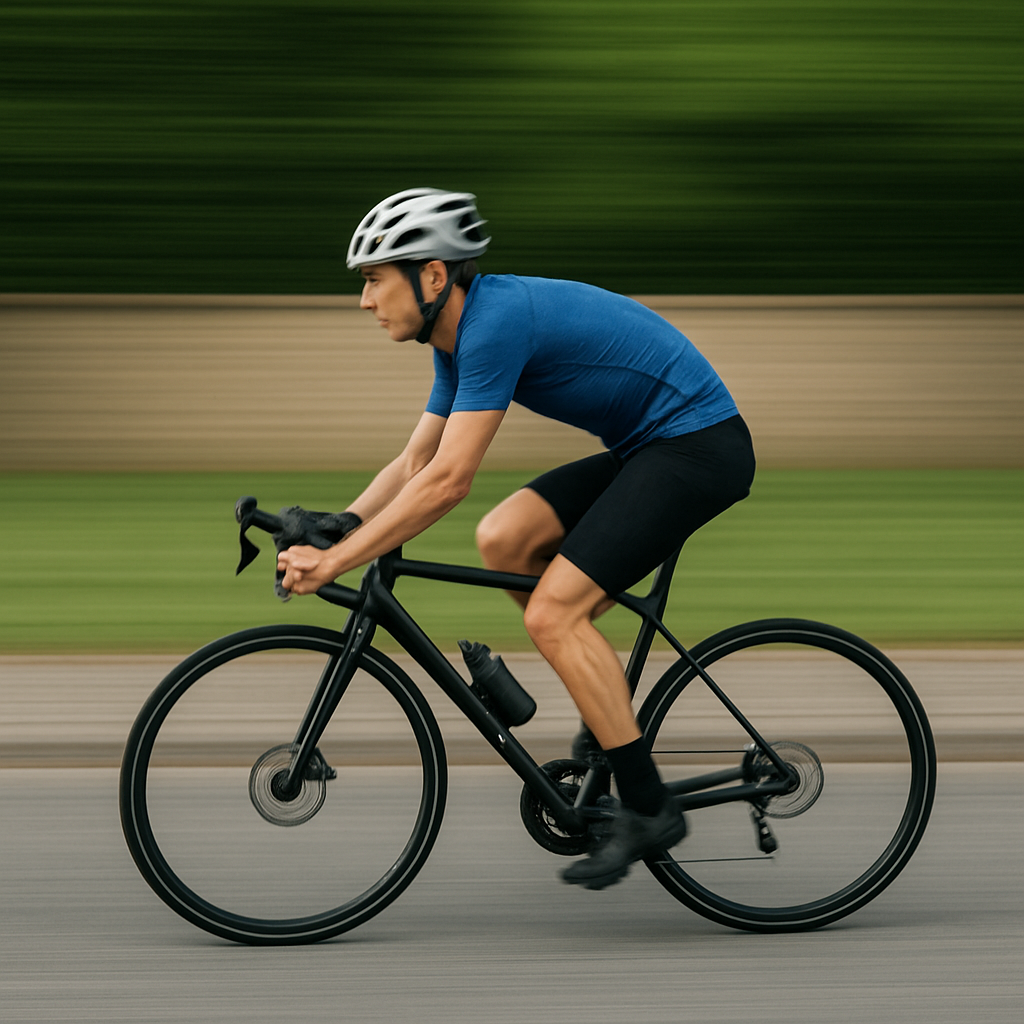
Composition plays a critical role in capturing and conveying a sense of motion in photography. One effective technique is panning—moving the camera horizontally in sync with a moving subject, such as a runner, cyclist, or vehicle.
To execute this technique successfully, stand with your feet shoulder-width apart to maintain balance and allow for smooth, fluid motion from one side to the other. While tracking your subject, use a slower shutter speed—around 1/80 of a second—to create intentional motion blur in the background, while keeping the subject relatively sharp.
This method emphasizes the direction and speed of movement, producing a dynamic and visually engaging image where the blurred background contrasts with the subject’s motion.
.
Camera Controls
Using shutter speed
Action SHots
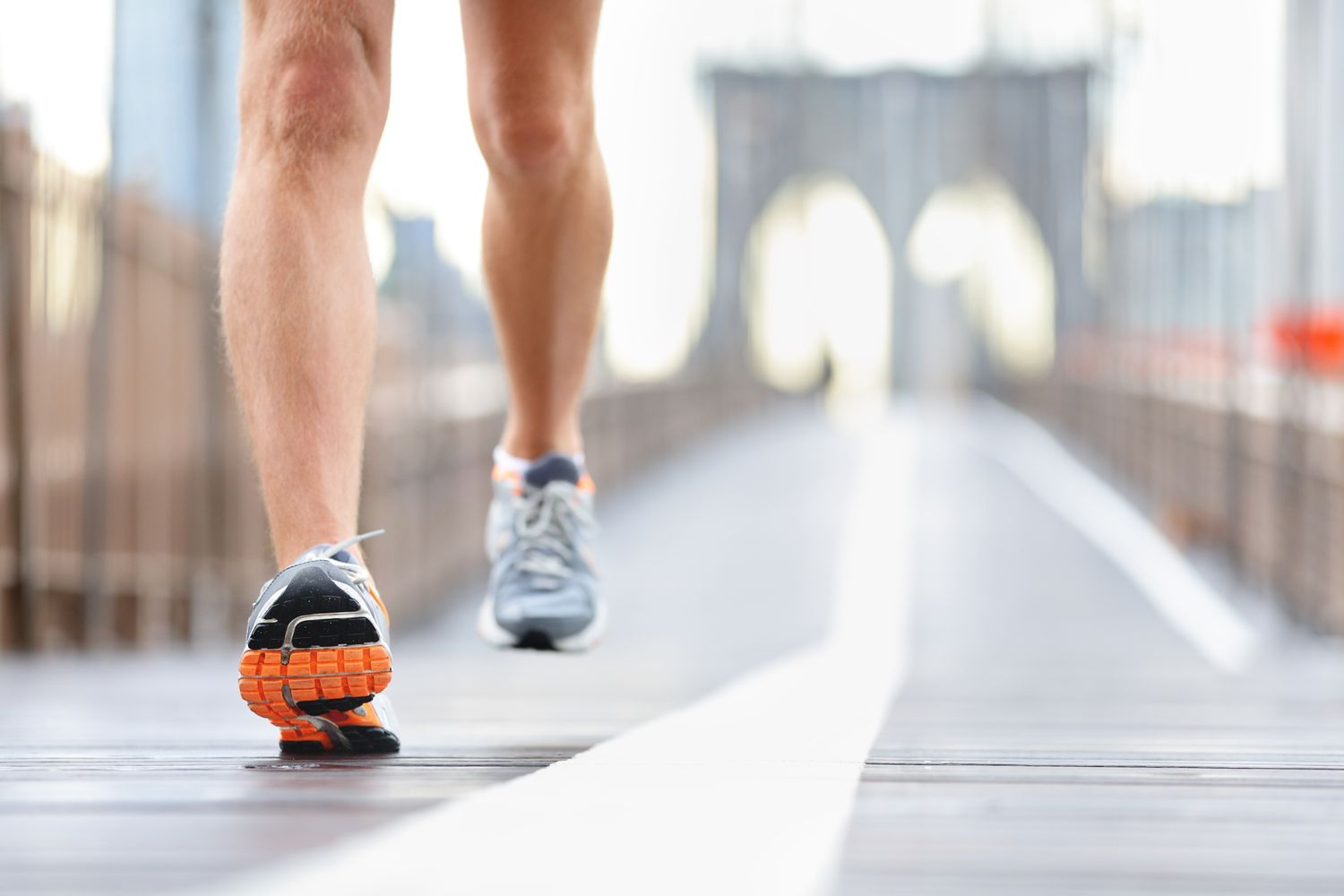
Effective action photography not only captures motion but also draws attention to the subject by isolating it from distracting elements in the background. One way to achieve this is by using a shallow depth of field.
Selecting a large aperture—such as f/2.8—creates a narrow zone of focus, ensuring the background appears softly blurred. This technique helps emphasize the subject in the foreground, making it stand out more clearly and giving the image a more professional, impactful look.
Camera Controls
Using shutter speed
Long Exposure
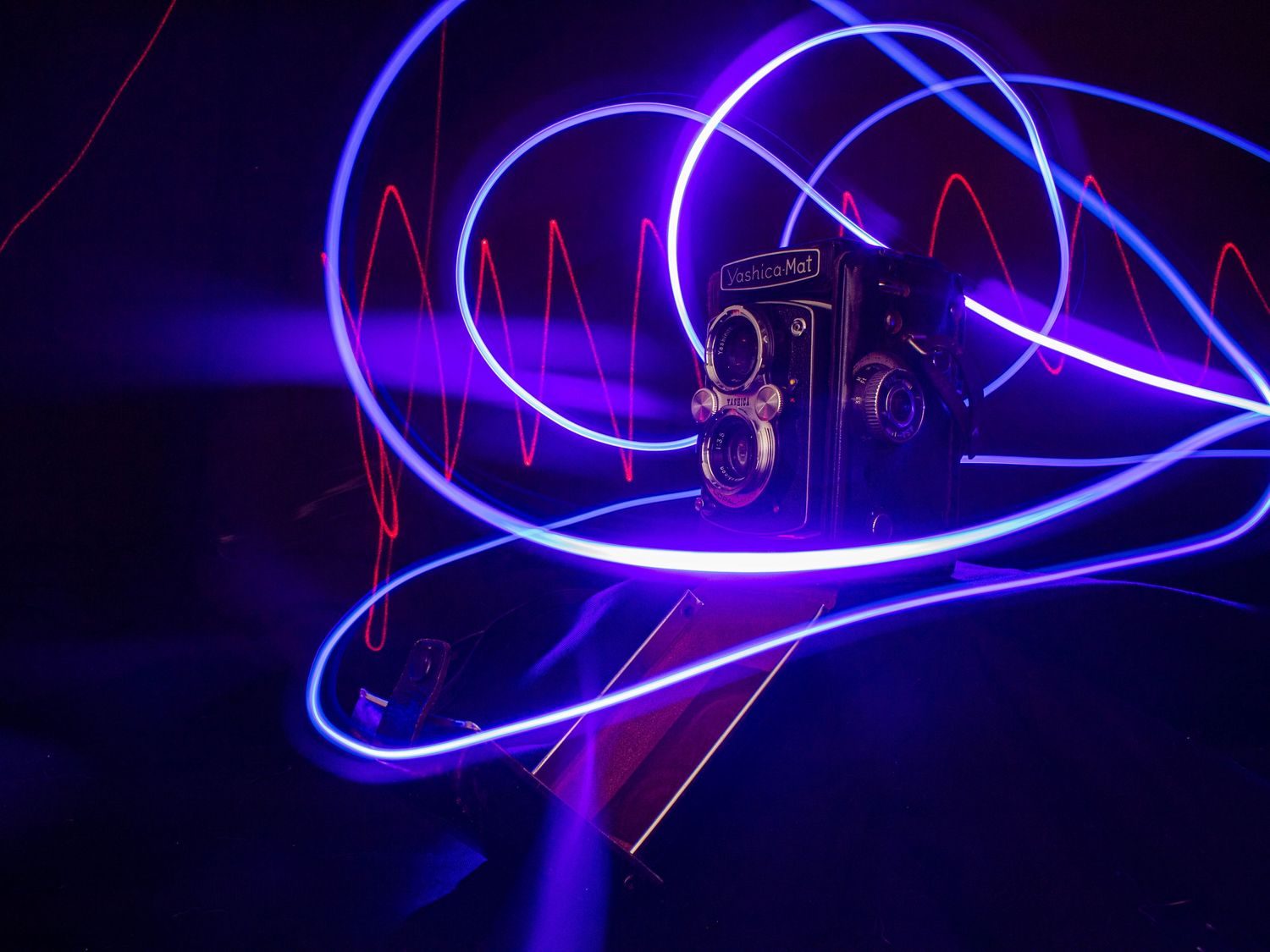
Using a sturdy tripod is essential when exploring long exposure techniques, especially in low-light or night time settings. In these conditions, the camera must keep the shutter open for an extended period to gather sufficient light. However, any movement during this time can result in unwanted blur—making camera stability critical.
A tripod eliminates camera shake, allowing you to experiment with exposures lasting several seconds or more. This opens up a wide range of creative possibilities. For instance, you can capture the flowing light trails of passing vehicles, or—as shown in the example opposite—record the path of a light pen moving in front of a stationary object. The long exposure captures continuous light movement as dynamic streaks, while static elements in the frame remain sharp and well-defined.
Camera Controls
Auto Focus
Understanding Autofocus
Modern digital cameras are equipped with autofocus (AF) systems that help you take sharp, well-focused photos in various conditions. These systems fall into two main categories: active and passive autofocus.
Active Autofocus
Active autofocus works by sending out an infrared beam to measure the distance to the subject. This method was used in early autofocus cameras like the Minolta Dynax series in the 1980s. While effective at the time, it has largely been replaced in today’s cameras by more advanced systems.
Passive Autofocus
Passive autofocus doesn’t emit any signal. Instead, it analyzes the image coming through the lens to determine focus. Most modern digital cameras use this method, and there are two main types: contrast detection and phase detection.
Contrast Detection is common in compact cameras and smartphones. It works by adjusting focus until it finds the area with the highest contrast — usually the sharpest part of the image. This method is accurate but can be slower, especially in low-contrast scenes.
Phase Detection, found in DSLRs and many mirrorless cameras, is faster and ideal for moving subjects. It compares light entering from opposite sides of the lens and quickly calculates how far the lens needs to adjust. This makes it better suited for continuous autofocus when tracking motion.
In Summary
Knowing how your camera focuses can help you choose the best settings for your subject. For fast action or moving subjects, phase detection provides quicker and more reliable results.
Camera Controls
Auto Focus
Autofocus Modes
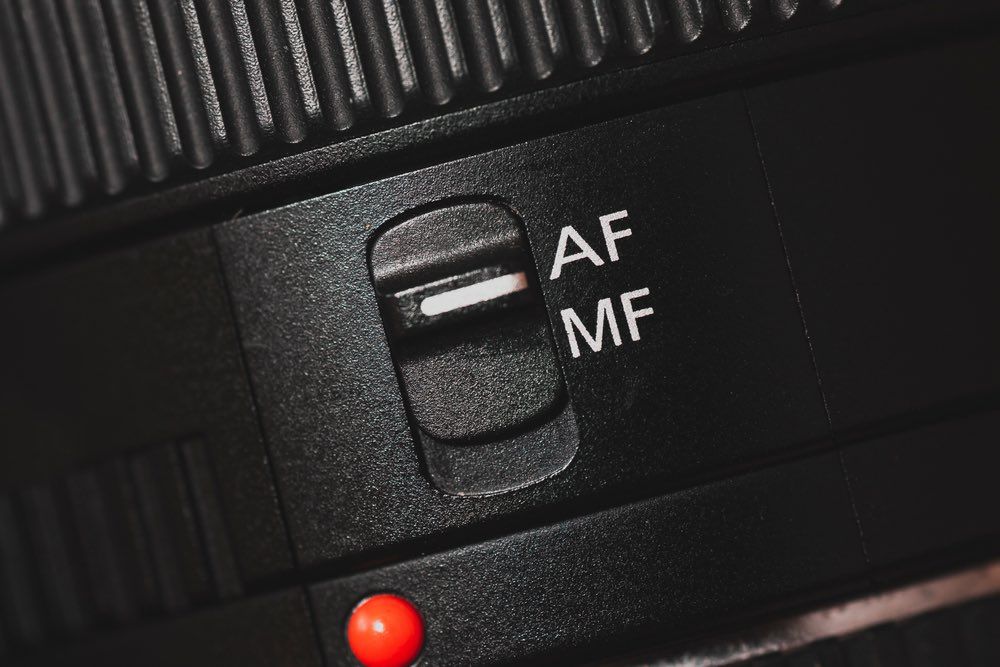
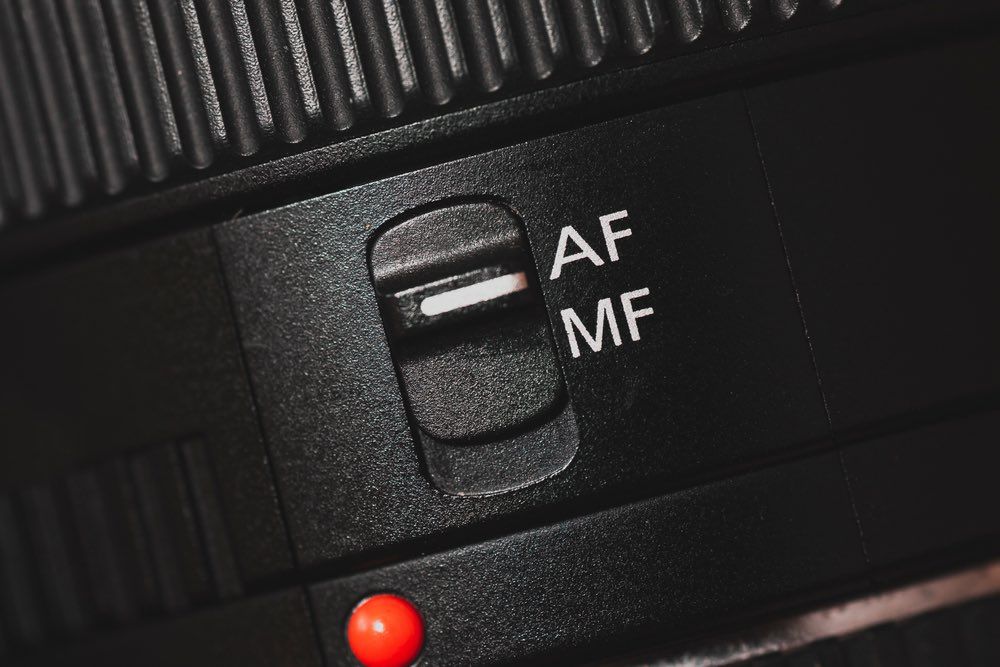
Most digital cameras automatically focus the lens for you, making it easier to capture sharp images. However, many models also include a manual focus option, giving you greater control when needed — especially in challenging lighting or for creative effects.
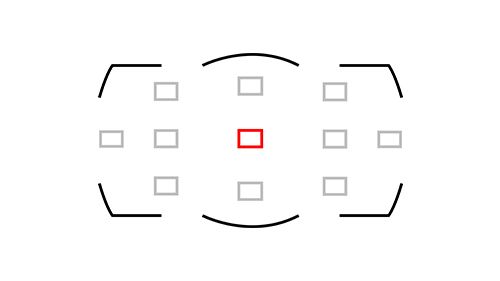
Modern cameras often feature autofocus (AF) points in the viewfinder, allowing you to focus on specific areas within the frame. For example, if your subject is positioned on the left side of the frame, you can select that area’s AF point to ensure the camera locks focus exactly where you want it.
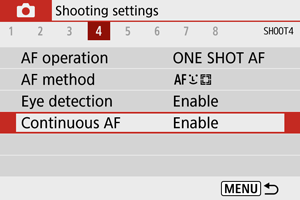
In addition, many cameras offer a Servo AF or Continuous AF mode. This setting is designed to continuously track and maintain focus on moving subjects, such as athletes, wildlife, or vehicles — ideal for action photography where the subject isn’t staying still.
Camera Controls
Auto Focus
Single Area Autofocus
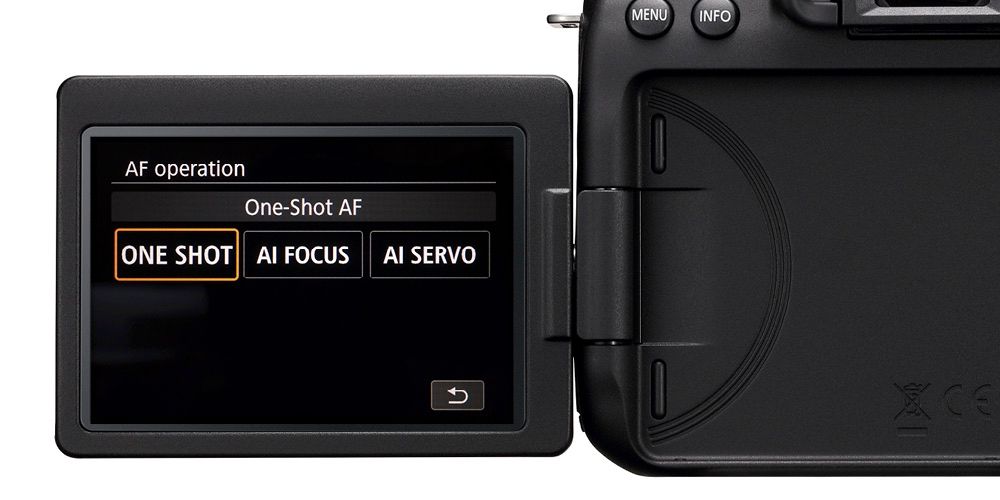
In single autofocus mode, known as AF-S on Nikon cameras and One-Shot AF on Canon, the camera focuses only once when you press the shutter button halfway. This is useful when your subject is not moving, as the camera locks focus and holds it until the photo is taken.
However, a limitation of this mode is that if your subject moves after focus is locked, the camera won’t refocus. Because of this, it’s not ideal for action or spontaneous scenes.
Some modern cameras now include override features in this mode, giving you a bit more flexibility. Even so, AF-S/One-Shot AF remains best suited for static subjects — such as landscapes, still-life scenes, or posed portraits.
Avoid using this mode for informal or dynamic situations, such as candid group shots at events or weddings, where people may shift positions unpredictably.
Camera Controls
Auto Focus
Continuous Autofocus
Continuous autofocus mode, known as AF-C on Nikon or AI Servo AF on Canon, is designed for tracking moving subjects. Once the autofocus system locks onto the subject, it continually adjusts focus as the subject moves through the frame.
This makes it ideal for sports, wildlife, or everyday situations like children playing, where the subject doesn’t stay still. The camera predicts the subject’s movement and updates the focus in real time, helping you capture sharp images even when the action is fast-paced.
Camera Controls
Auto Focus
Intelligent AF Modes
Hybrid Autofocus and Full-Time Servo AF
Many entry-level digital SLRs now include hybrid autofocus modes that can automatically switch between Single AF and Continuous AF. On Nikon cameras, this is called AF-A, while Canon refers to it as AI Focus AF. The camera decides whether to lock focus once or continue tracking based on whether the subject is stationary or moving.
In addition, many modern DSLRs that record video—such as the Nikon D7000—offer a full-time Servo AF mode, known as AF-F. This mode continually adjusts focus while recording video, so you don’t need to keep pressing the shutter button halfway to refocus.
This is particularly useful for casual video shooting, where the subject may shift slightly during recording. However, AF-F is not ideal for fast-moving subjects, as it may struggle to keep up with rapid changes in position.
Camera Controls
Auto Focus
Autofocus Points
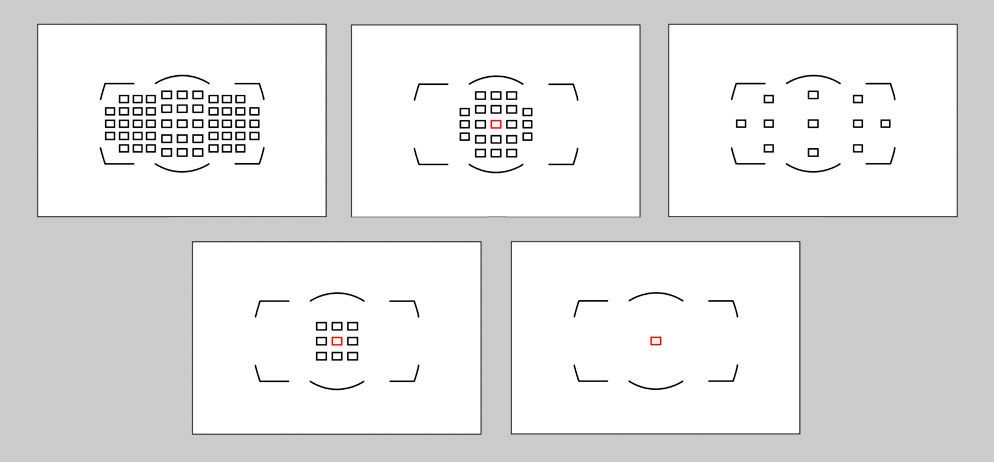
Modern digital cameras allow you to either manually select individual autofocus points in the viewfinder or let the camera choose automatically—a feature commonly called AF-Area Mode.
The number of available AF points has increased significantly in recent years, with some cameras offering over 50 focus points. This allows for quick and precise focus on various areas of the scene, giving you the option to lock focus on a specific subject without compromising your composition.
Some DSLRs also offer a Dynamic AF Area Mode. In this mode, you choose one AF point, but if your subject moves, the camera automatically switches to a neighboring point to maintain focus. This is helpful for tracking movement while still keeping control over your focal area.
For casual or fast-paced photography, Auto AF selection mode is a reliable choice. The camera analyses the scene and selects the most likely subject to focus on.
Many cameras also feature Face or Eye Detection AF, which recognizes and locks focus on human faces, or eyes—particularly useful for portraits and group shots, both in still photography and video.

Camera Controls
Other Controls
Exposure Compensation
Even with today’s advanced camera technology, there are situations where your camera’s built-in light meter can be misled by extremely bright or dark subjects—resulting in underexposed or overexposed images.
For example, scenes dominated by bright white elements, such as a snow-covered landscape or a wedding dress, can cause the meter to underexpose the photo, rendering whites as dull greys. To correct this, you can increase the exposure value (EV) using your camera’s exposure compensation feature. Raising the EV in small increments helps recover detail in bright areas and restore a more accurate representation of the scene.
Conversely, photographing dark subjects—like a person wearing a black suit—can lead the camera to overexpose, making the scene appear unnaturally bright. In these cases, reducing the EV by around -1 stop can help preserve the richness of the darker tones.
Keep in mind that on many cameras, exposure compensation settings persist even after the camera is turned off. To avoid unintended results in future shots, it’s a good idea to reset the compensation value after use. Always refer to your camera’s manual for guidance on how exposure compensation works with your specific model.
Camera Controls
Other Controls
White Balance
Light sources vary in colour temperature, which affects the overall tone of your images. While the human eye effortlessly adapts to these shifts—making white objects appear consistently white—digital cameras are less adaptable. This is where White Balance becomes essential.
White Balance settings help your camera adjust for different lighting conditions to ensure colours appear natural. Without proper compensation, images can take on unwanted colour casts—cool blues in the shade or warm oranges under indoor lighting.
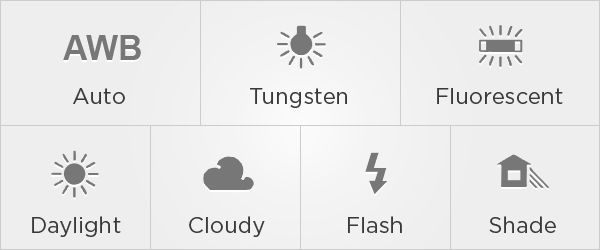
Most cameras include an Auto White Balance (AWB) mode that automatically adjusts colour temperature, allowing you to focus on capturing the moment. However, in more challenging lighting situations, AWB may not always deliver accurate results.
In such cases, switching to a preset White Balance mode—such as Daylight, Cloudy, Shade, Tungsten, or Fluorescent—can help restore natural colour tones and improve image quality. These presets are tailored for specific lighting environments and can be especially useful in mixed or difficult lighting conditions.